
When printing with an Asiga printer, the Asiga Cure automatically imports a cure profile from the material configuration used for the print in Asiga Composer. However, if the material profile does not appear on the Asiga cure, it can be imported manually in a quick process via the web interface. After importing, the material cure profile will persist on the Cure until it is manually deleted.
Before starting, find the material configuration .ini file. This is on the Materials tab on https://myaccount.asiga.com/accounts/. If the material does not have a cure profile, then this method will not work. Instead, a “Custom Cure” profile needs to be created manually on the cure interface while following the material IFU.
With the material configuration file prepared, follow the steps to send it to the Cure.
1. Access the Asiga Cure Web Interface
First, access the web interface of the Asiga Cure with one of 2 ways:
Method 1: On Asiga Composer, open the Network Devices tab. From there, select the Asiga Cure icon to open the web interface on the default web browser.
Method 2: Alternatively, check the Asiga Cure’s name or IP address on the front touch screen. The name is on the top left, and the IP address is in connectivity settings. Then, enter the name or IP address in the web address URL bar after http:// on a computer connected to the same network.
2. Import the Material Configuration File
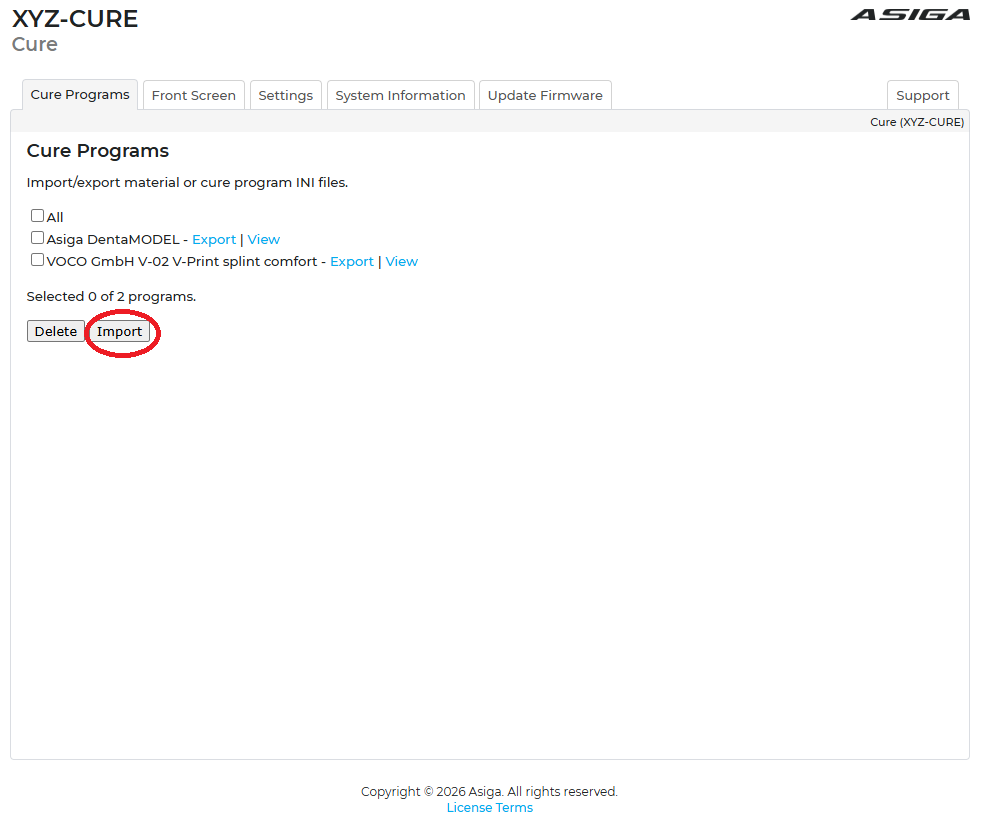
On the “Cure Programs” tab of the web interface, press the “Import” button, then select the .ini material configuration file. If you need any further assistance, contact our support team.