
The Asiga web interface is a powerful utility for Asiga machines allowing full remote access to the front panel and functions such as build queue, firmware updates and system information.
There are multiple methods to access the web interface when the machine is on and connected to the same network as a computer/device.
Method 1: Open Web Interface Through Asiga Composer
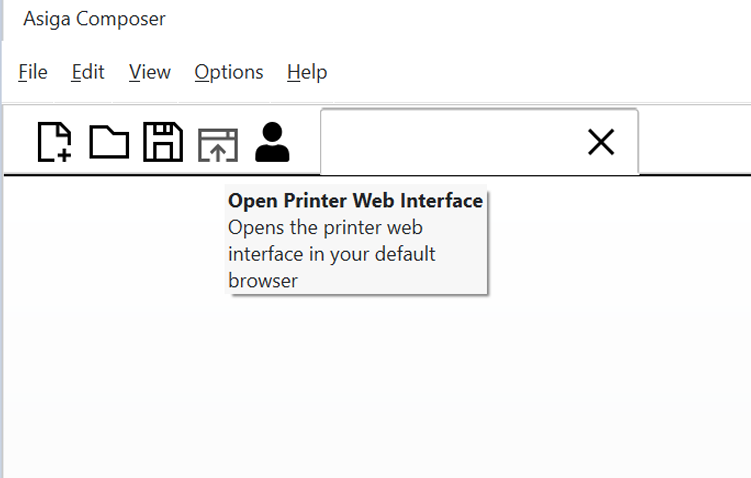
If Asiga Composer is installed, the web interface can be opened through the “Open Printer Web Interface button at the Composer toolbar.
It is also found in the “Build Properties” menu, which is helpful where there are multiple printers:
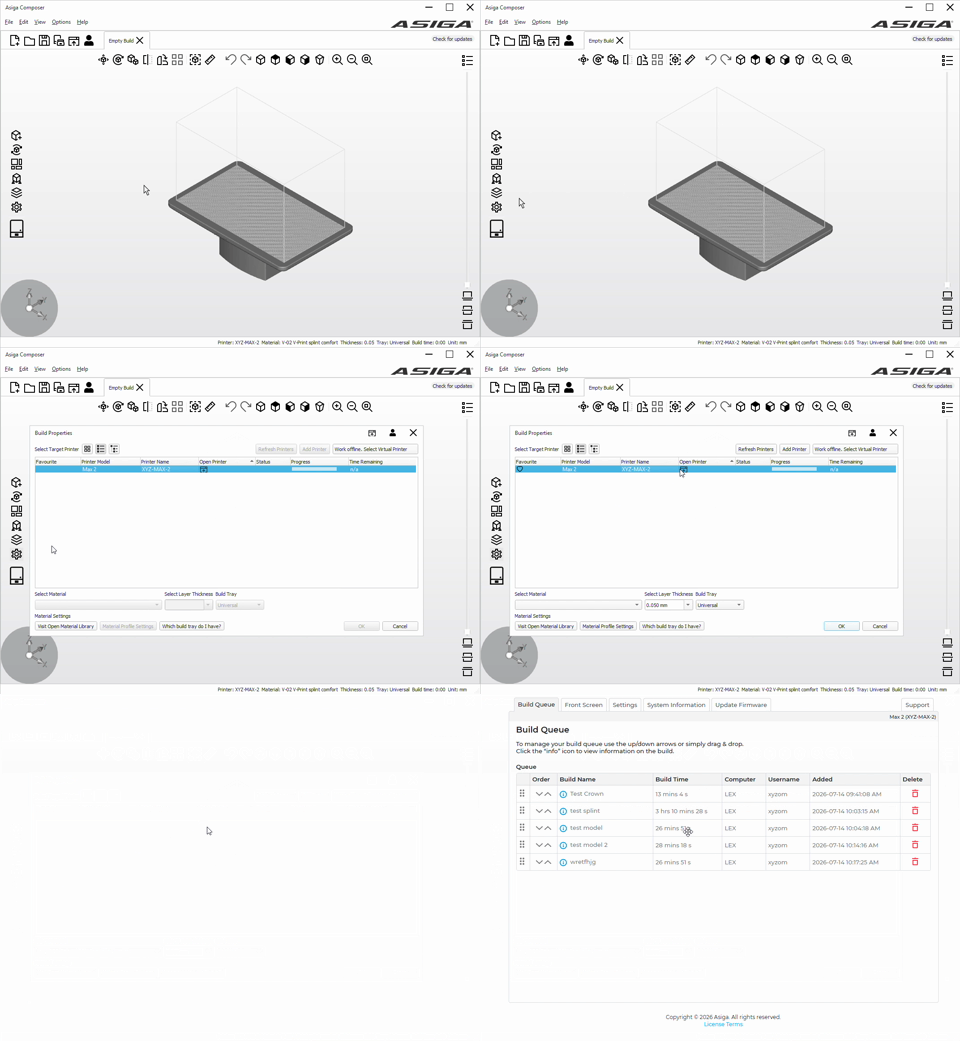
There is a table with the “Open Printer” column for each printer connected to the same network. If your printer is not appearing on this screen, double check that the machine and the computer are on the same network. There may be a network configuration blocking the communication between the machine and computer, so check with the IT management as well.
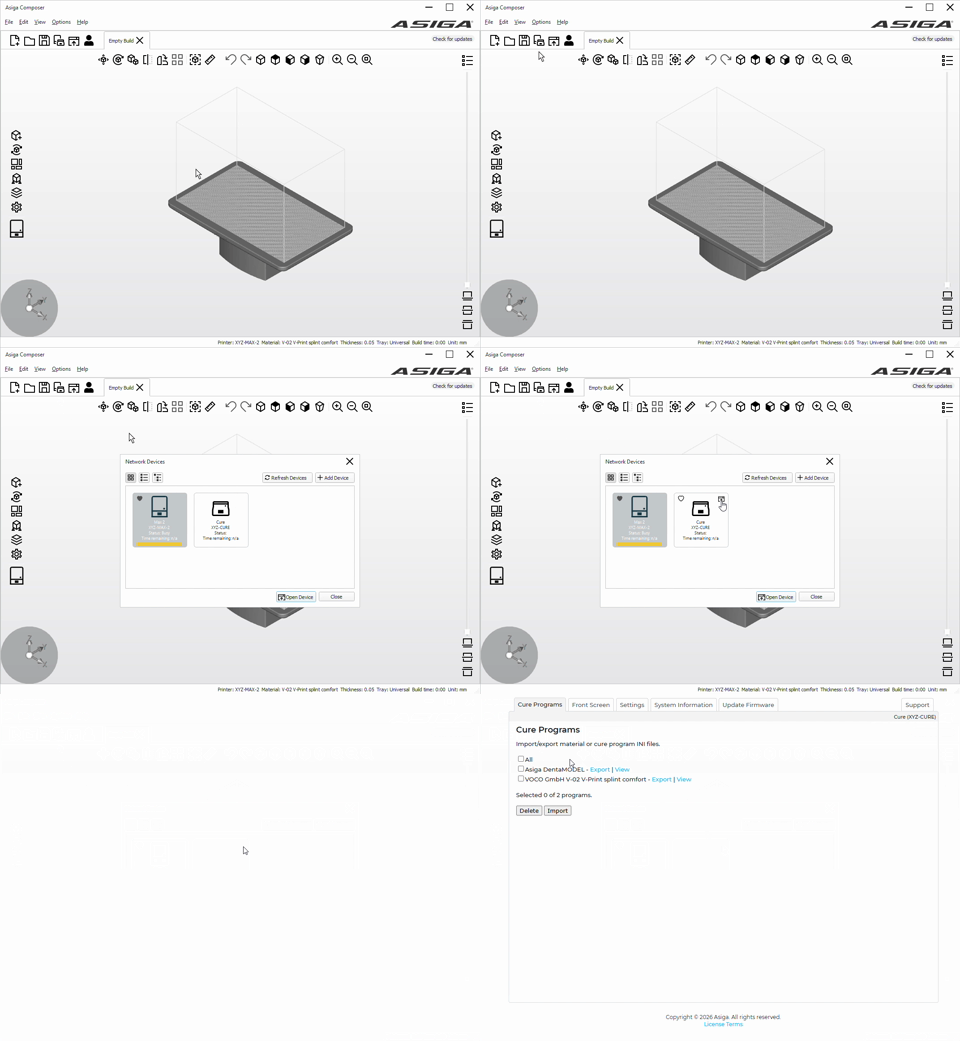
To access the Asiga Cure web interface, there is a button to show all network devices on the toolbar of Asiga Composer, as shown below. Click the web interface icon to open the web interface for the Asiga Cure or any printers or other devices from Asiga.
Method 2: Open Web Interface via Web Browser
On the web browser navigation, type http:// followed by either the name of the printer or the IP address. This method is helpful for computers or mobile devices that do not have Asiga Composer. This web page can be saved to favourites on the browser for easy access.
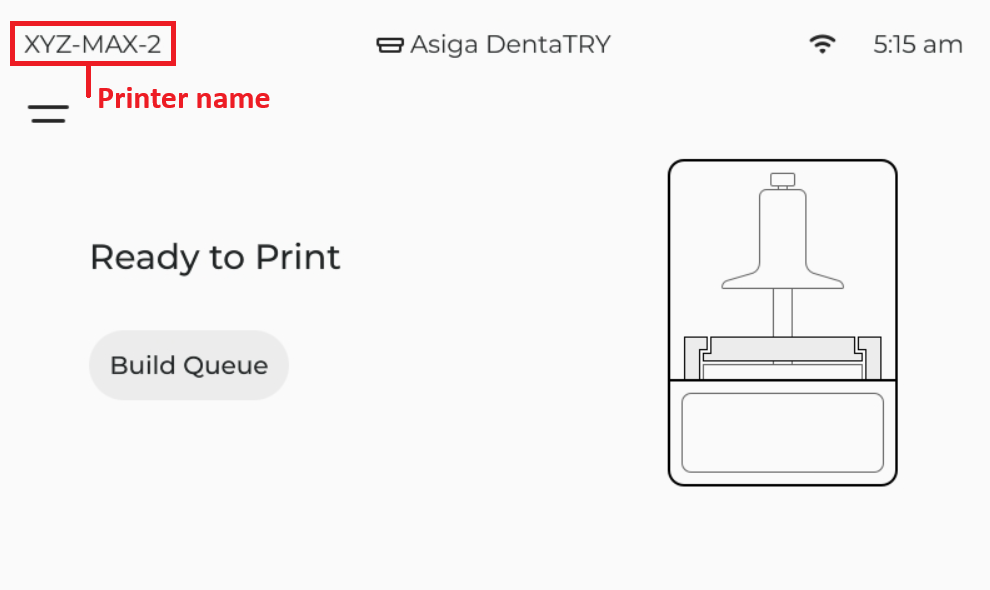
The printer name is found on the front screen of the printer:
The printer IP address is found in the printer menu under Settings > General > Connectivity, listed under the internet connection type that is connected (Ethernet/Wireless/Wireless Direct).
Conclusion
With the web interface set up, you are now able to monitor print progress remotely. In addition to making Asiga printers and Cure more convenient to use, this web interface is required to install firmware updates.
If none of these methods have worked, then the internet connection is too weak on the Asiga device and/or PC, they are connected to different networks, or the network is configured to block the Asiga device. In this case, the internet connection of the Asiga device and/or PC and reconfigure network settings if necessary.